
<!DOCTYPE html>
<html>
<head>
<meta charset="utf-8">
<title>Code karne do</title>
<meta name="viewport" content="width=device-width, initial-scale=1">
<!-- external css link click and check this path-->
<link rel="stylesheet" type="text/css" href="css/style.css">
<!-- end External css -->
<!-- external css -->
<style type="text/css">
.internal_css {
background: #ededed;
width: 50%;
margin: auto;
position: relative;
text-align: center;
font-size: 20px;
box-shadow: 0px 0px 27px #06d9ac inset;
padding: 12px;
top: 10vh;
margin-bottom: 20px;
border: 5px solid #06d9ac;}
</style>
<!-- end internal css -->
</head>
<body>
<!-- inline Css us in style add in same div like this example -->
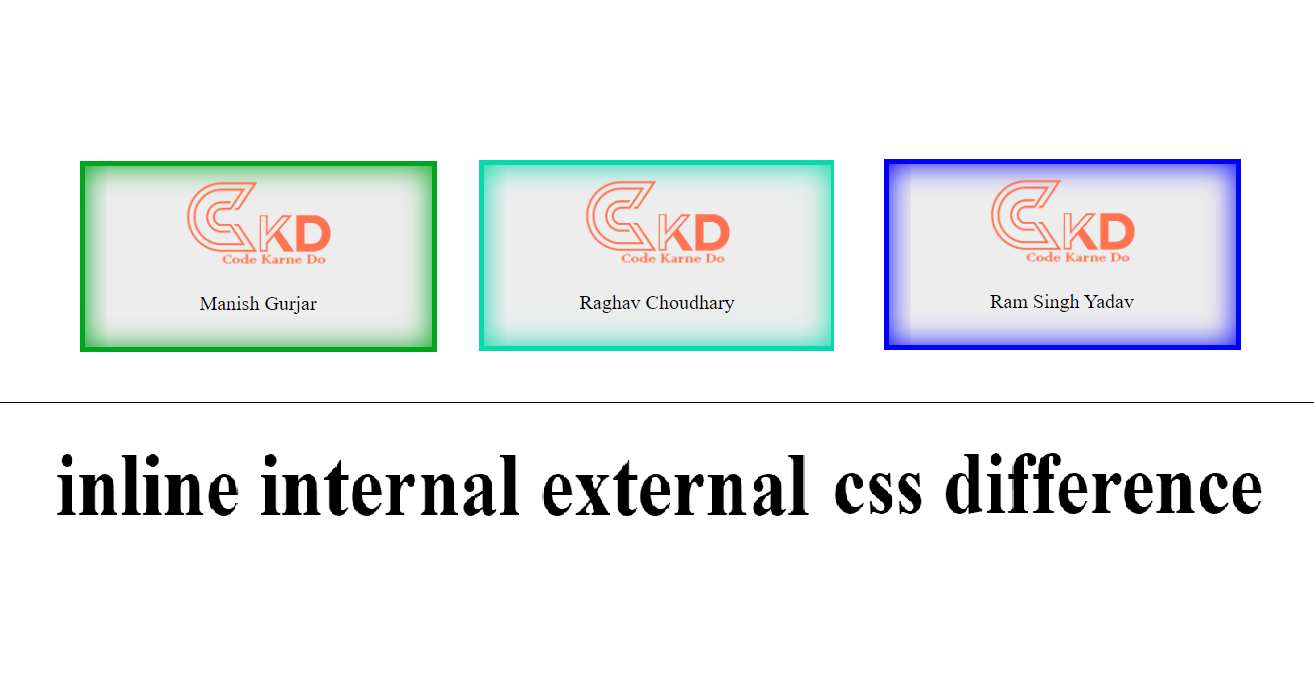
<div style="background: #ededed; width: 50%;margin: auto;position: relative;text-align: center; font-size: 20px;box-shadow: 0px 0px 27px #00a61d inset; padding: 12px;top: 10vh;margin-bottom: 20px;border: 5px solid #00a61d;">
<img src="https://codekarnedo.com/malinLogo.png" width="150">
<p>Manish Gurjar</p>
</div>
<!-- End inline Css -->
<!-- --------------------------------------------------------------------------------------------------------------------------------- -->
<!-- start internal Add class name in same page & write same page in css example <style> </style> css -->
<div class="internal_css">
<img src="https://codekarnedo.com/malinLogo.png" width="150">
<p>Raghav Choudhary</p>
</div>
<!-- end Internal Css -->
<!-- --------------------------------------------------------------------------------------------------------------------------------- -->
<!-- write Class Name & add link and write there css -->
<div class="external_css">
<img src="https://codekarnedo.com/malinLogo.png" width="150">
<p>Ram Singh Yadav</p>
</div>
<!-- EXternal Css END-->
<h2>inline internal external css difference</h2>
</body>
</html>