
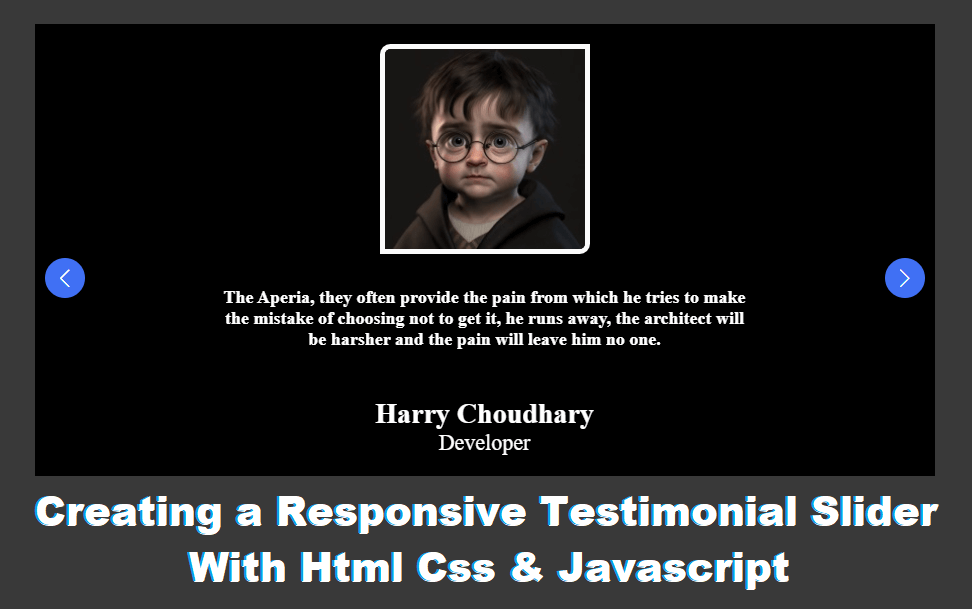
Creating a Responsive Testimonial Slider With HTML, CSS & JavaScript
In today’s digital world, testimonials play a crucial role in building trust and credibility for any website. A well-designed testimonial slider not only enhances user experience but also keeps your layout clean and engaging. In this blog, we’ll explore how to create a responsive testimonial slider using HTML, CSS, and JavaScript that works smoothly across all devices.
Why Use a Testimonial Slider?
A testimonial slider allows you to display multiple customer reviews in a limited space while maintaining visual appeal. Instead of listing testimonials in a long column, sliders help:
Improve website aesthetics
Save screen space
Increase user engagement
Highlight social proof effectively
By making the slider responsive, you ensure it looks great on desktops, tablets, and smartphones.
Understanding the Structure (HTML)
HTML provides the basic structure of the testimonial slider. Each testimonial is wrapped inside a container that includes:
Customer photo or icon
Name and designation
Review text
The slider wrapper keeps all testimonials aligned horizontally, allowing JavaScript to control the slide movement.
Key points:
Use semantic HTML for better SEO
Keep content readable and accessible
Structure testimonials consistently
Styling the Slider (CSS)
CSS is responsible for the visual design and responsiveness of the testimonial slider. With proper styling, you can:
Create smooth transitions
Add shadows and rounded corners
Control layout using Flexbox or Grid
Adjust font sizes for different screen sizes
Media queries help make the slider fully responsive by adjusting padding, font sizes, and alignment on smaller devices.
Best practices:
Use flexible units like % and rem
Avoid fixed widths for better responsiveness
Maintain contrast for readability
Adding Interactivity (JavaScript)
JavaScript brings the testimonial slider to life. It controls:
Slide navigation (Next / Previous)
Auto-slide functionality
Active testimonial state
By using simple JavaScript logic, you can smoothly transition between testimonials without relying on heavy libraries, ensuring fast loading times.
Common features you can add:
Auto-play with pause on hover
Navigation dots
Touch swipe support for mobile
Making the Slider Fully Responsive
Responsiveness is the key to modern web design. A responsive testimonial slider adapts seamlessly to different screen sizes by:
Adjusting layout using CSS media queries
Scaling images and text properly
Maintaining smooth transitions on mobile devices
This improves usability and contributes positively to your website’s SEO and performance.
Benefits of Using HTML, CSS & JavaScript
Creating a testimonial slider with pure HTML, CSS, and JavaScript offers several advantages:
Lightweight and fast
No dependency on third-party libraries
Easy customization
Better control over design and functionality
This approach is ideal for developers who want a clean, customizable, and SEO-friendly testimonial slider.
Conclusion
A responsive testimonial slider is a powerful UI component that enhances credibility and user engagement. By combining HTML for structure, CSS for design, and JavaScript for interactivity, you can build a modern, responsive testimonial slider that fits perfectly into any website.
Whether you’re building a portfolio, business website, or landing page, implementing a testimonial slider will help showcase customer feedback in a professional and visually appealing way.