
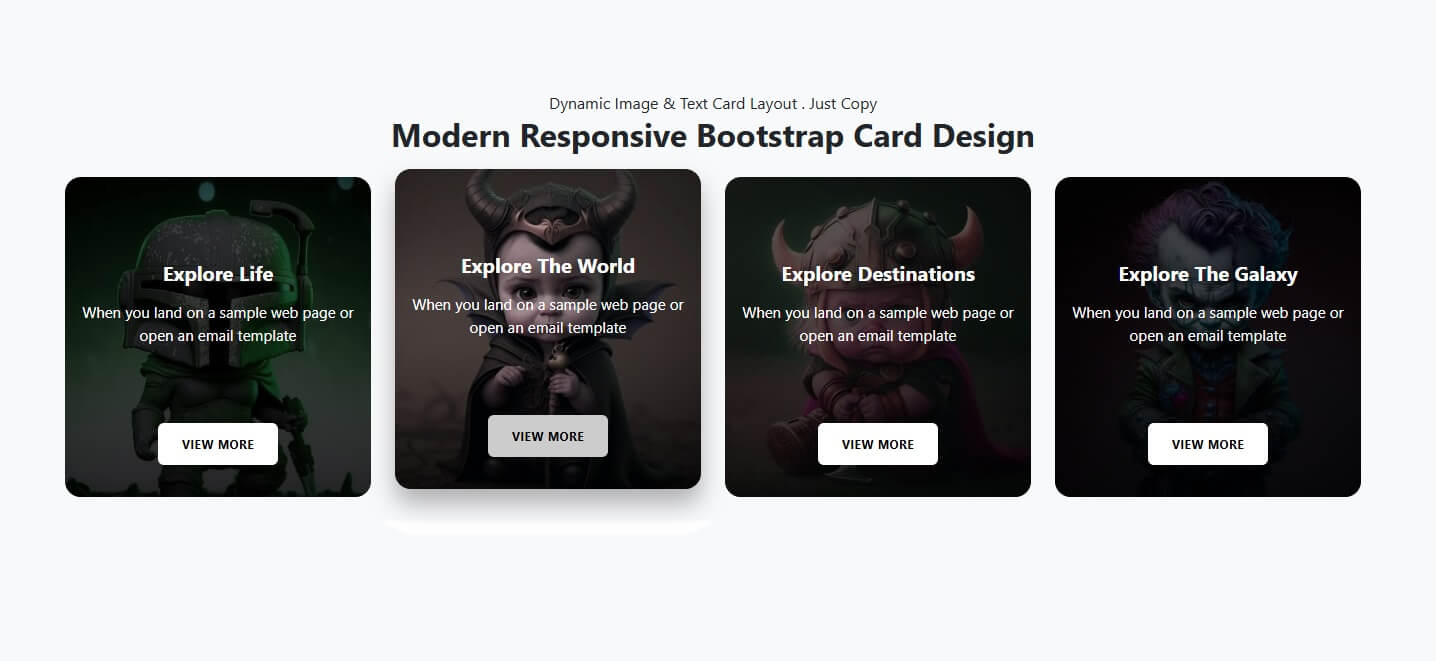
Modern Responsive Bootstrap Card Design: A Complete Guide for 2026
In today’s digital-first world, website design plays a crucial role in user engagement and conversion. One of the most effective UI components used in modern web design is the Bootstrap card. A modern responsive Bootstrap card design helps developers present content in a clean, structured, and mobile-friendly way across all screen sizes.
Bootstrap cards are flexible content containers that can include text, images, buttons, icons, and links—making them ideal for portfolios, product listings, blogs, dashboards, and business websites.
What Is a Bootstrap Card?
A Bootstrap card is a lightweight, extensible content container introduced in Bootstrap 4 and improved further in Bootstrap 5. It replaces older components like panels and thumbnails with a more unified and responsive structure. Cards automatically adapt to different screen sizes using Bootstrap’s grid system, ensuring a seamless experience on desktops, tablets, and mobile devices.
Why Use Modern Responsive Bootstrap Card Design?
A well-designed Bootstrap card improves both usability and visual hierarchy. Here are some key benefits:
Fully Responsive: Automatically adjusts to all screen sizes
Clean UI: Minimal and modern layout
Easy Customization: Works seamlessly with CSS and Bootstrap utilities
Fast Development: Pre-built components reduce coding time
SEO-Friendly: Structured content improves readability and engagement
Key Elements of a Modern Bootstrap Card
A modern Bootstrap card design focuses on simplicity, performance, and user experience. Common elements include:
Card Header: Titles or categories
Card Body: Main content, text, or descriptions
Images or Icons: Visual representation of content
Call-to-Action Buttons: “Read More,” “Buy Now,” or “Contact Us”
Hover Effects: Smooth transitions for better interaction
Using rounded corners, subtle shadows, and consistent spacing creates a professional and contemporary look.
Best Practices for Responsive Card Design
To create an effective and modern responsive Bootstrap card design, follow these best practices:
Use Bootstrap’s grid system (col-md, col-lg) for layout control
Maintain consistent padding and margins
Optimize images for faster loading
Use CSS hover effects sparingly
Ensure text readability on all devices
Keep card content concise and meaningful
These practices help improve performance, accessibility, and user retention.
Use Cases of Bootstrap Card Design
Bootstrap cards are widely used across different industries and websites:
Real Estate Listings: Property details and pricing
E-commerce Products: Product images and CTA buttons
Blog Layouts: Article previews and featured posts
Business Websites: Services and features showcase
Dashboards: Data summaries and statistics
Their flexibility makes them suitable for both simple and complex UI designs.
Future of Bootstrap Card Design
As UI/UX trends evolve, Bootstrap cards are becoming more interactive with animations, gradient backgrounds, and icon-based layouts. Combined with frameworks like React or Vue, modern Bootstrap card designs continue to remain relevant for fast, responsive, and scalable web development.
Conclusion
A modern responsive Bootstrap card design is an essential component of contemporary web design. It enhances user experience, improves visual appeal, and ensures responsiveness across devices. Whether you are building a business website, blog, or product showcase, Bootstrap cards provide a reliable and stylish solution for presenting content effectively.